The AMADA CS II 300 is a visually and mechanically impressive system that is designed to automate material management, interface with the shop floor and the office, save lots of shop floor space by using vertical storage, and minimize manual handling. The system runs as a sort of spine in your shop, with punch, laser, and bending cells attached to take advantage of the CS II 300’s many operations.
In its full iteration, the CS II 300 truly designs out—and manages out—manual metal handling. (Because it encompasses so much, “material handling” doesn’t tell the story, so we’ll use “metal handling” instead.)
Configuring the system with intermediary automation products between the machine tool and the CS II 300 makes the whole effort seamless. Often, we talk about machine operations by thinking about loading as the starting point and unloading as the end point, but even these things are automated. For example, there is no need to put a sheet on the cutting area of a laser, nor pick parts from the nest, nor pull off the empty skeleton. Not only is this done in automated fashion, it is done by moving the entire pallet. At the end of the offload operation, you have separately and accurately stacked blanks. Meanwhile the other operations continue. The idea is to keep the laser (or whatever you have connected) running—maximizing not just green light time but cutting time.
To make all of this automation excel, AMADA not only built all the hardware but programmed the software as well. A new software unit called Orchestrate works between three other systems to pull everything together into a production environment that now includes creation, control, planning, monitoring, and much more that occurs in a production environment. We’ll get into more details further along in our story.
Check out the system
The term “CS II 300” is painted on the side of the “spine” that runs through your shop. That being the core of the system, it makes sense to call the system and associated subsystems by that name, if informally. The system name even includes the software, conceptually. CS II 300 is an overarching umbrella system that includes these other products.
I was invited to the Schaumburg Solution Center (SSC, Schaumburg, IL) to see the system in operation, and later, to climb through it without hurting the product or myself (both of us were fine). It was a very engaging and interesting experience.
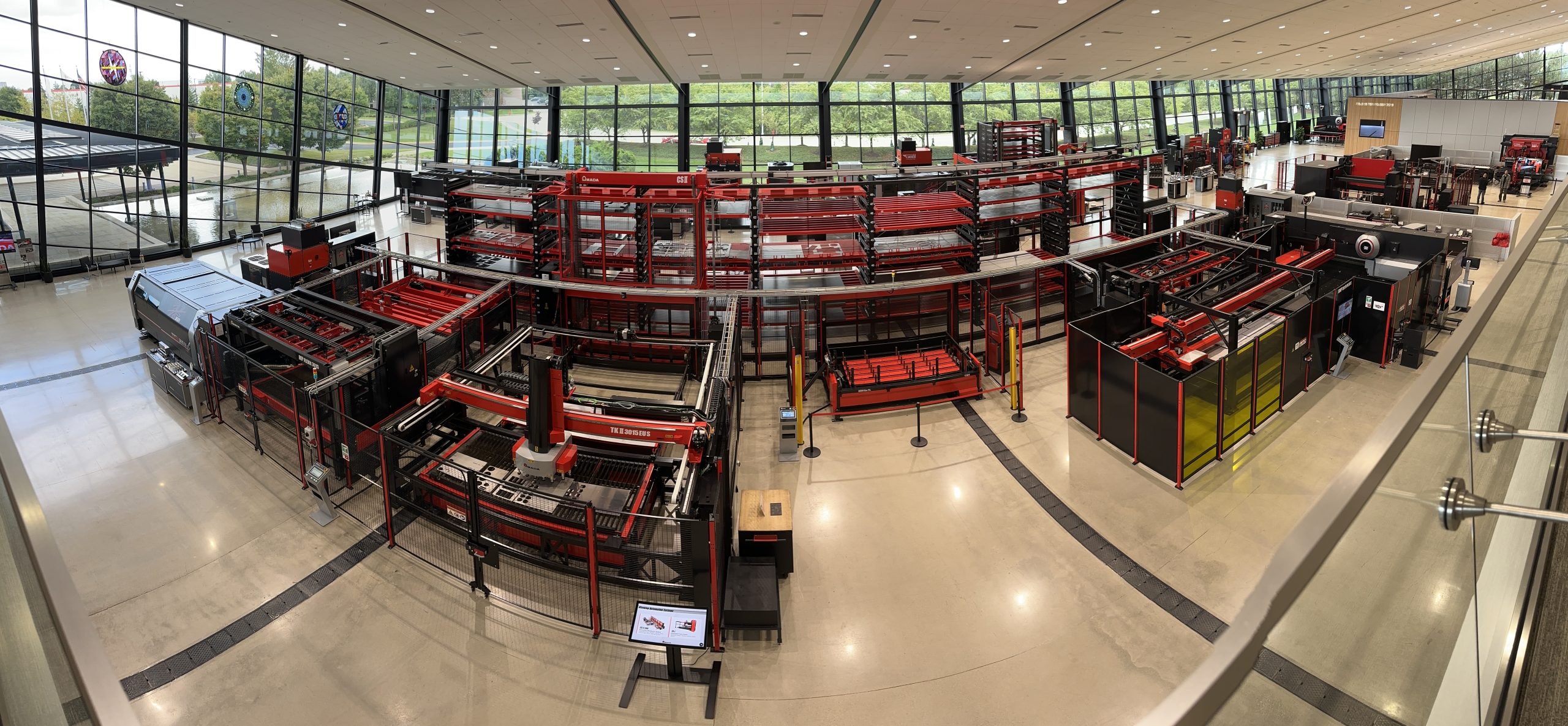
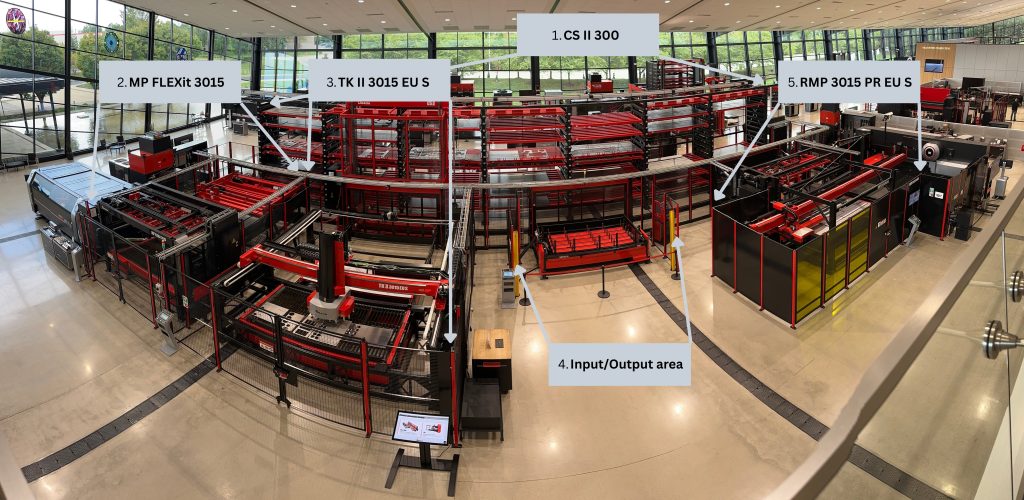
Let’s take inventory of everything explored on that warm summer day. Please refer to Figure 1 following this section to get an idea of how this system works at the SSC:
The storage/management area, the “core” of the CS II 300, can hold anywhere from 30 to 999 pallets, and the system can be expanded from single row to double row layouts. Height is flexible, according to the fabricator’s need and the shop’s ceiling height. In the SSC’s system, with the other automation products attached, there is no manual metal handling. Seven modular stacks hold 16 racks apiece, which provide room for 112 racks. A built-in stacker crane (also called the “elevator”) is the interface between other automation modules and the storage towers. Every piece of metal on the CS II 300 can be seen on an integrated control near the Input/Output station, as well as in the office via the Orchestrate software’s ability to put crucial data into the Influent interface.
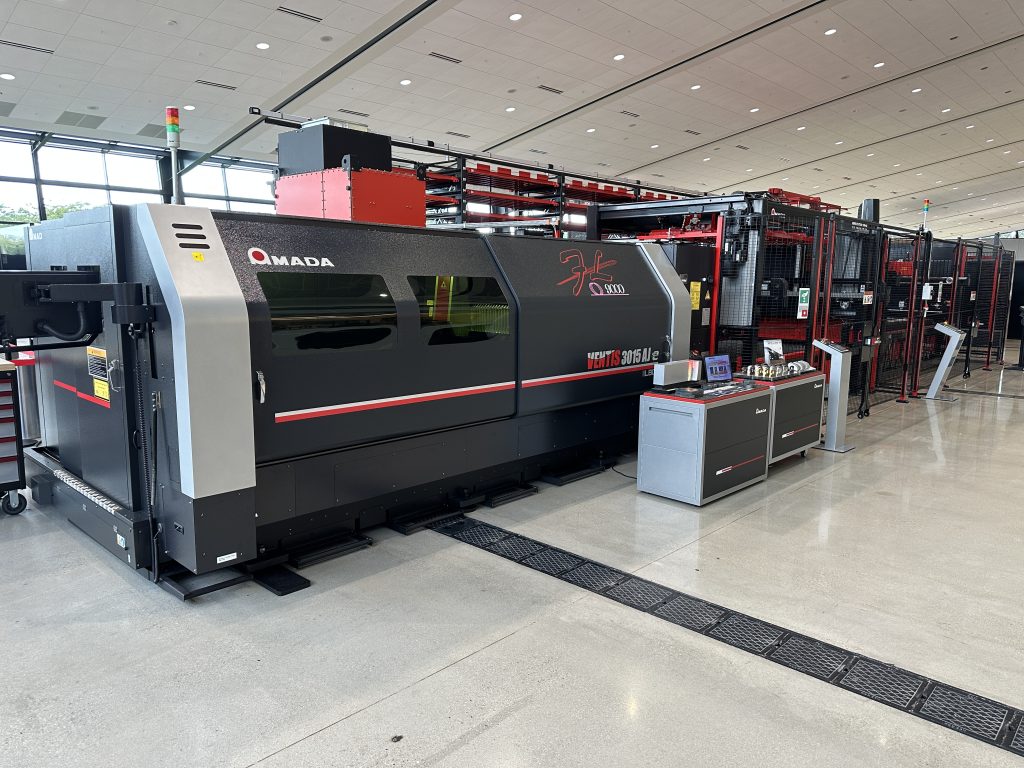
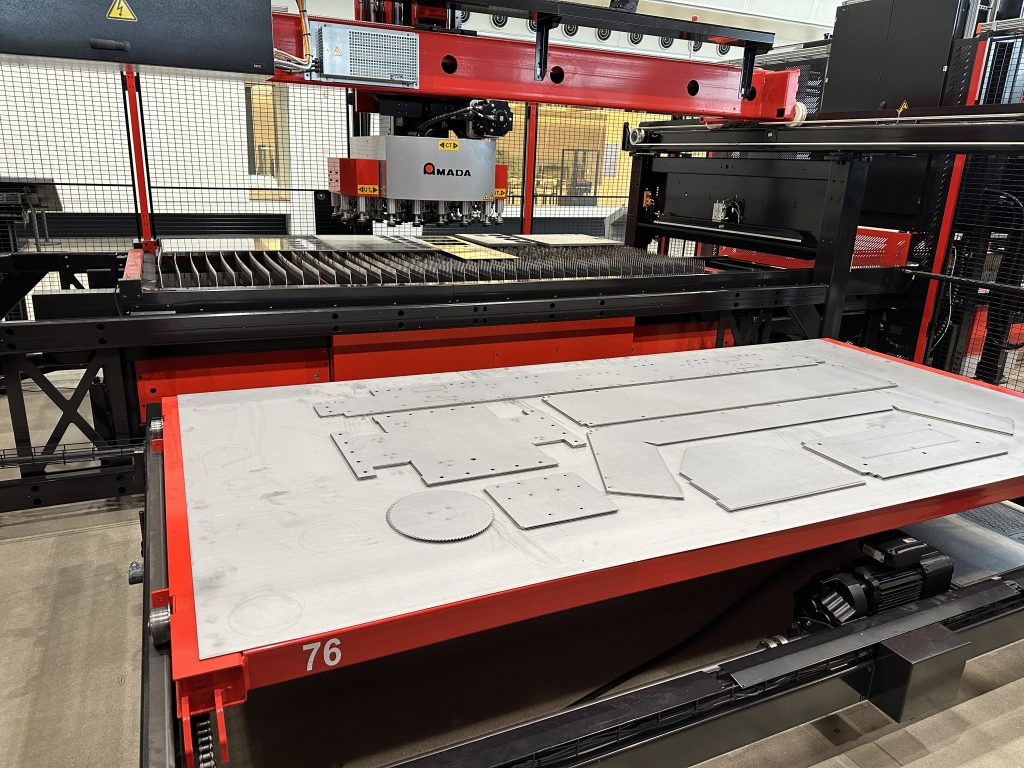
The MP FLEXit 3015 is deployed next to the VENTIS 3015 AJ e. Its job is to provide the interface between the VENTIS (or any other 3015-type AMADA laser), loading material while the current material is being cut, or extracting the skeleton or product or both from a job that has just run.
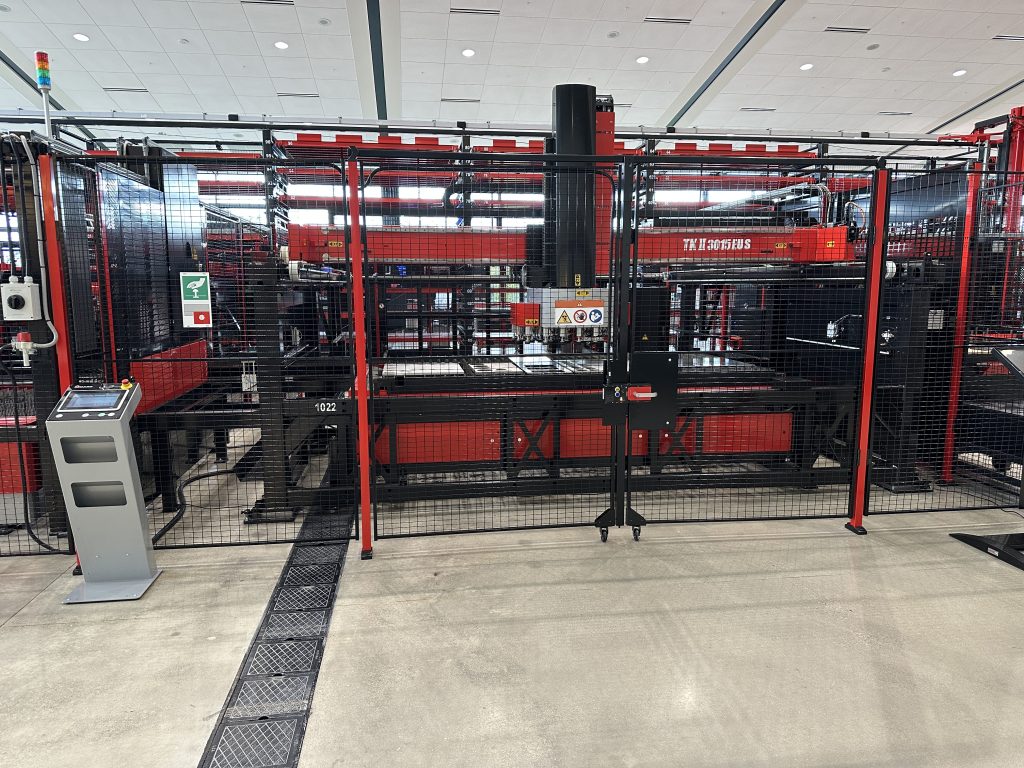
The TK II 3015 EU S both moves pallets into and out of the laser, going through the area of the MP FLEXit 3015. It sends an empty pallet toward the laser to prepare for receiving material, and accepts an entire cut sheet (skeleton and blanks) and places them under its robot. The robot picks and stacks the blanks on a pallet behind the current cut sheet.
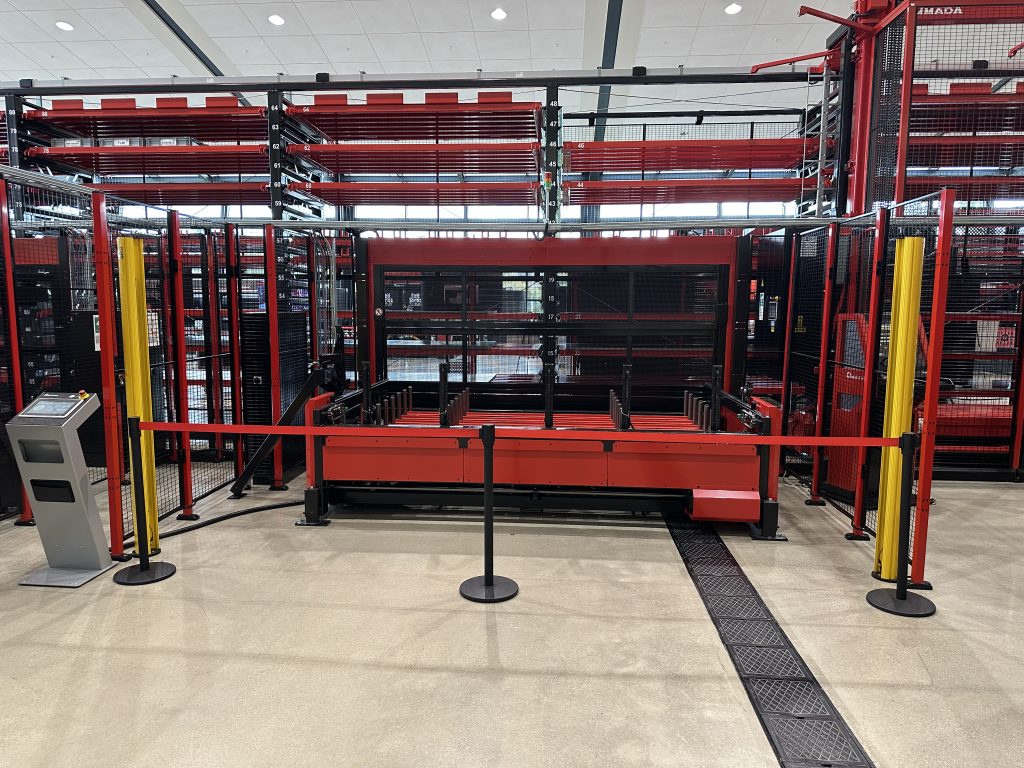
The Input/Output area is the only place around the entire extended area of the CS II 300 where the forklift can load material into the system (or remove anything). The single interface makes it simple as well as safe; with only one place to go, the forklift is in play only between the material source and the I/O station.
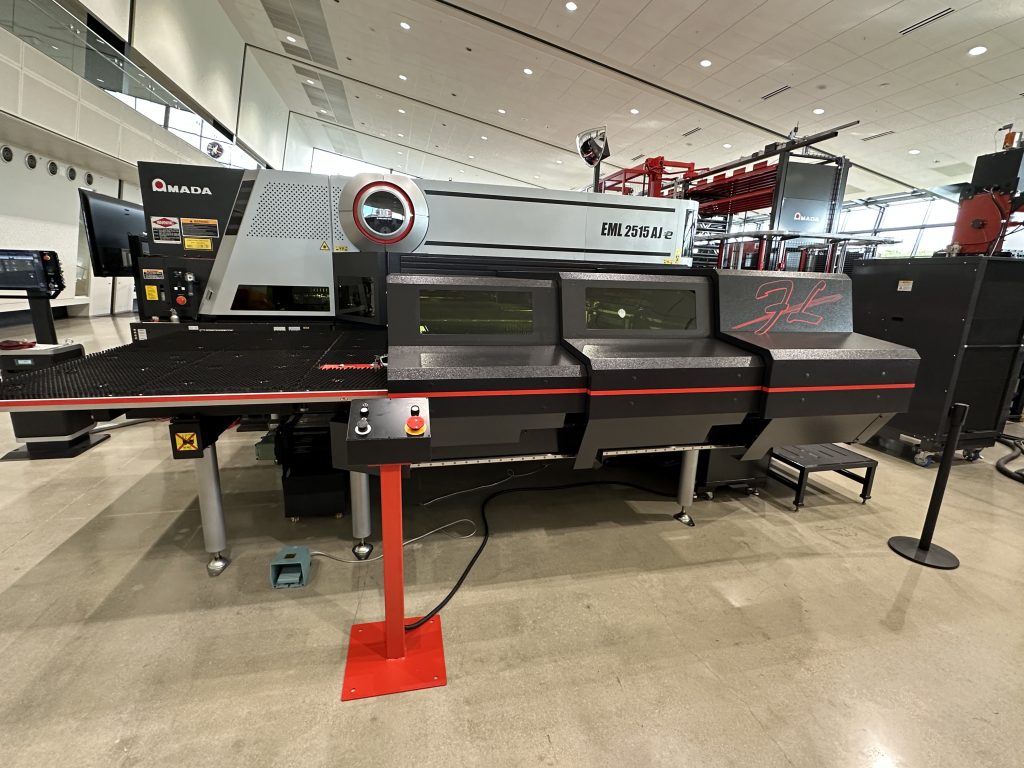
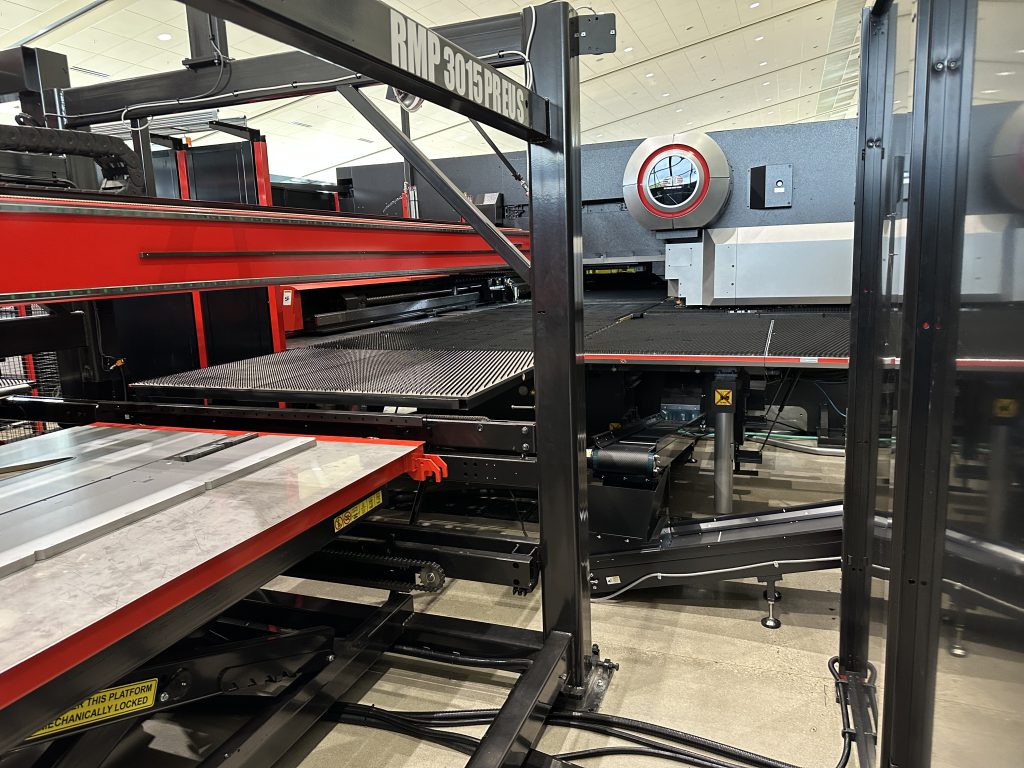
The RMP 3015 PR EU S in this setup serves the EML 2515 AJ e laser/punch. The “PR” in the name is for part removal, which it does following laser cuts—the punched pieces are too small to grab, and in almost all cases these are waste. To get the laser-cut parts, it waits behind the cutting area and closed doorway until the laser is done, then comes in swiftly and uses its suction cup arm (or arms, depending on the size of the part) to whisk it away and stack it.
Figure 1
Now seems like a good time to interject with a short introductory video and follow with some descriptions and photos. Then we’ll get on to the four stations that are working in concert with the CS II 300 core. Finally, we’ll take a deep dive into the software because of the many ways it drives the value of the system. (Please note, the videos do not follow the same order as the Figure 1; we used eight videos to tell the story.) First, the intro video, which features Phil Picardat, AMADA AMERICA’s Automation Product Manager, who gives us an excellent summary:
The core of the CS II 300
The hub of the automation environment in this case is the CS II 300 racking/management/storage system. At the SSC, that means seven sets of racks, all of which are served by the elevator. This device moves to any pallet on any rack, and to any of the connected devices. You can create areas that include similar materials or purposes (mild steel, perhaps, or remnants)—but you don’t have to do that.
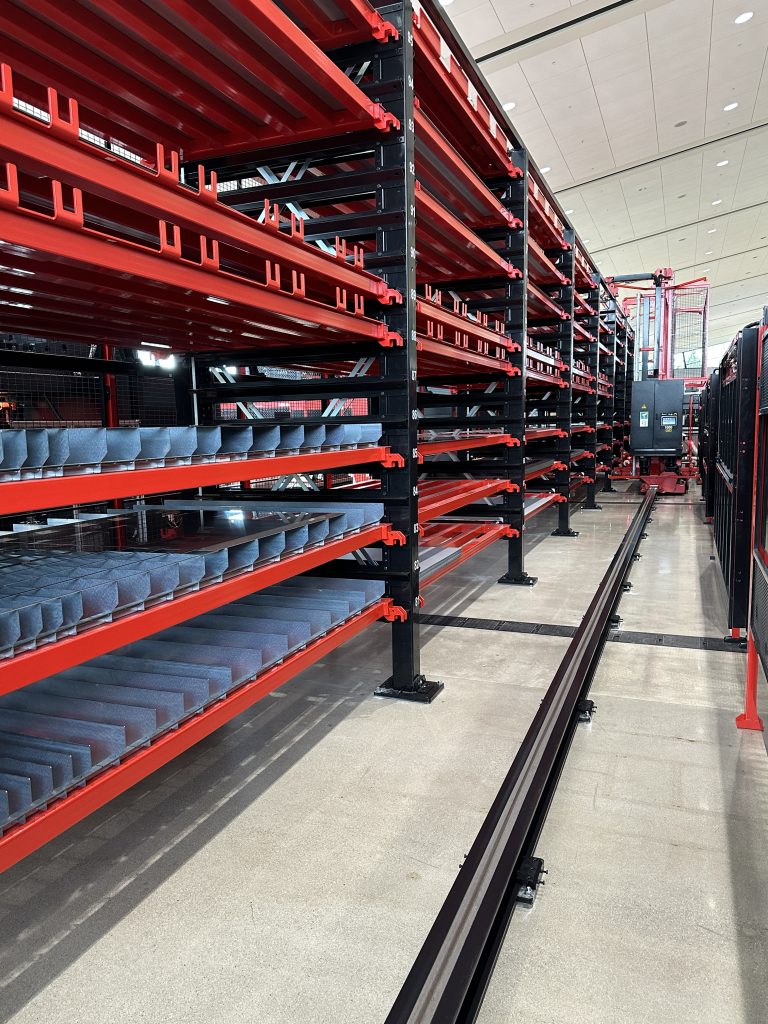
The pallets are rated at up to 6,610 lbs. (3,000 kg.) each. The system can handle it; very stout uprights and cross members support everything. Even the elevator is built with strength—also agility and safety—in mind. A look at Figure 2 shows a perspective of the vertical size of the racking. In the distance is a clear capture of the elevator, giving us an idea of its height and reach. Also in the bottom foreground is the monorail that the elevator system uses as a track to get back and forth inside the system.
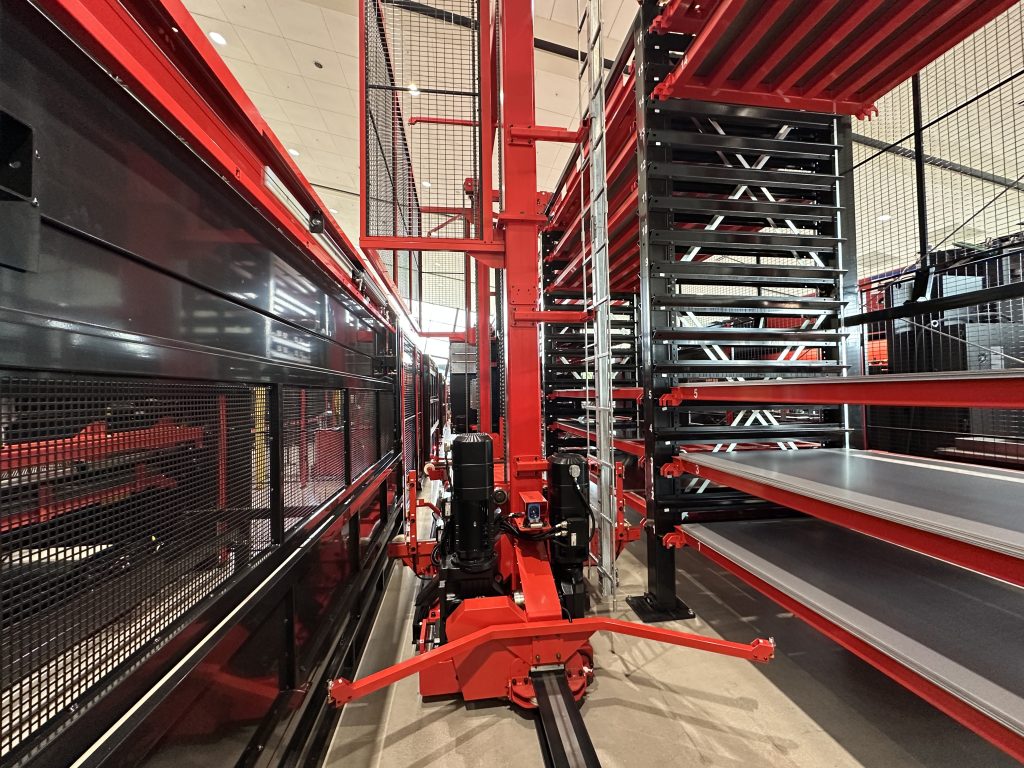
Figure 3 shows that same elevator from the other side. On this photo we can see about 2/3 of the way down the center, something that looks like a camera mounted on the elevator. This is a safety device so that if a publisher or anyone else wanders inside the CS II 300, the whole system stops until the obstacle is removed. There are other sensors as well, and two of these come off the center of the elevator; they look for any material that might be hanging a bit off of a rack. Again, the system shuts down and the errant metal is returned to a safe position. Neither of these scenarios are likely but if something is unlikely it means it’s possible and that’s the way safety systems work. (In fact, a publisher incursion occurred multiple times while researching this story.)
One of the most popular features of the elevator is that it has a built-in weight control unit that can automatically tell the number of sheets present on a pallet by cross-referencing the weight with the material data in the software. It is a handy double-check on what’s happening with all of the inventory, increasing the accuracy of the entire enterprise.
The core system is managed by AMADA’s FMS controller. We’ll look at it in the next section on the Input/Output area.
Figure 2
Figure 3
The Input/Output station
It’s amazing how many times safety and simplicity go hand-in-hand. The Input/Output station (see Figure 4) is like that. Adding new material or taking away blanks or parts happens at the same place every time. The “user” driving the forklift has only one interface to pick up and deliver, and the nature of the material is already decided by the software system.
Figure 4
Figure 5
When loading new material, automatic positioning of the sheet stack ensures perfect alignment, and it saves time because no one is doing it manually. Additionally, there is a laser that marks the position of the pins
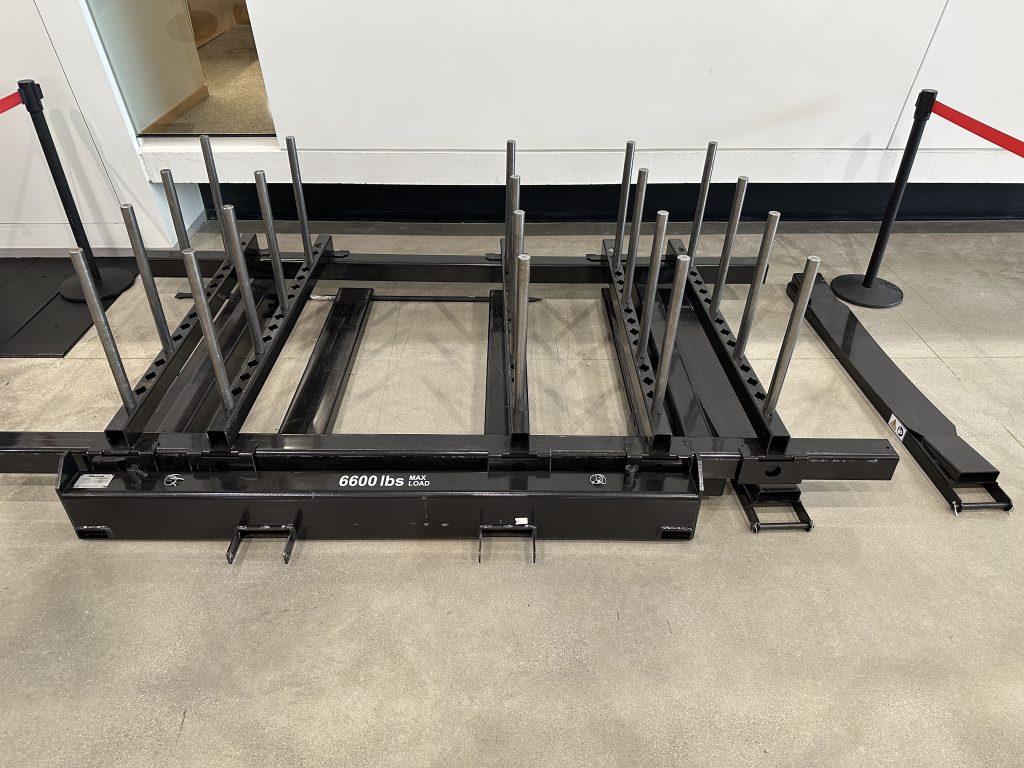
There are additional options, even optional concave attachments for the forks on your forklift (see Figure 5).
Now, let’s get a look at a video introduction to the Input/Output station:
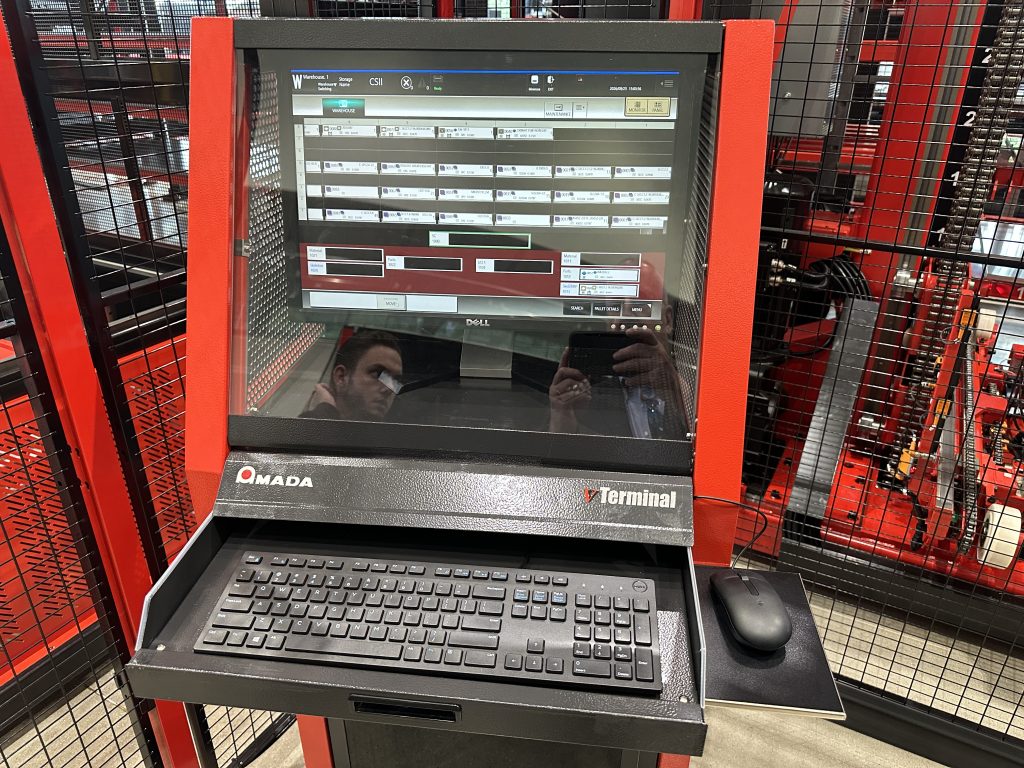
While this next part might be equally pertinent to the software section, we chose to include it here because the control is placed next to the Input/Output station. The FMS control features a very simple interface and since most of the time an operator’s most common question is the location of a certain material, operations like lookups take only seconds (see Figure 6).
Figure 6
Here is more about the control, and how it helps you control inventory, on our next video, and we are joined by AMADA’s Daniel Tucker:
The MP FLEXit 3015
This load/offload automation system (seen in Figure 7) called the MP FLEXit 3015 serves, in this configuration, the VENTIS 3015 AJ e (Figure 8).
Figure 7
Figure 8
The MP FLEXit’s job (along with the CS II 300 core product) is to keep the laser running. Nothing in the system runs faster than a leisurely stroll, but it keeps the system running without interruption. It’s a bit like the problem of the airlines; engine-out time on the ground is necessary to load and unload people but it represents lost revenue. In a fabrication shop, the “people” can be pre-loaded; new material pallets are ready whenever the laser cutter is ready—often immediately following cut-sheet removal.
Here is a video look at the product:
Now let’s move down the line to the next piece of automation.
The TK 3015 EU S
After a cut sheet is removed from the laser, it can come to the TK 3015 EU S. This is a part- or blank-picking piece of automation machinery. Figure 9 shows a straight-on view, with the MP FLEXit 3015 to the left, and the VENTIS to the left of the FLEXit. To the right is the Input/Output area.
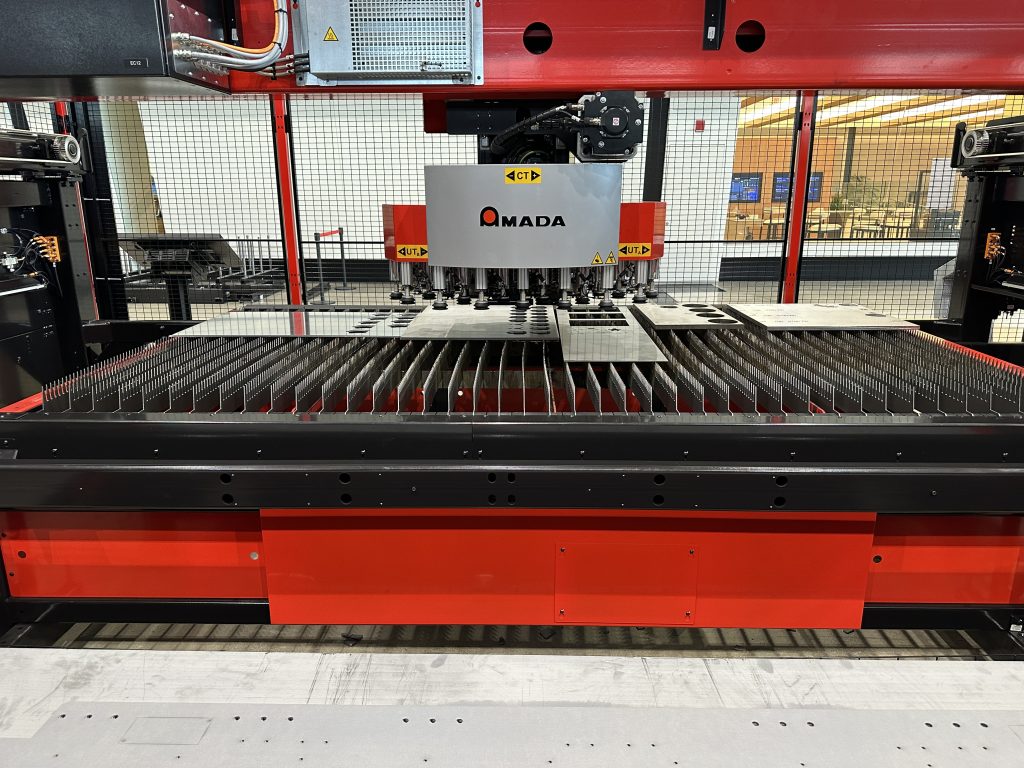
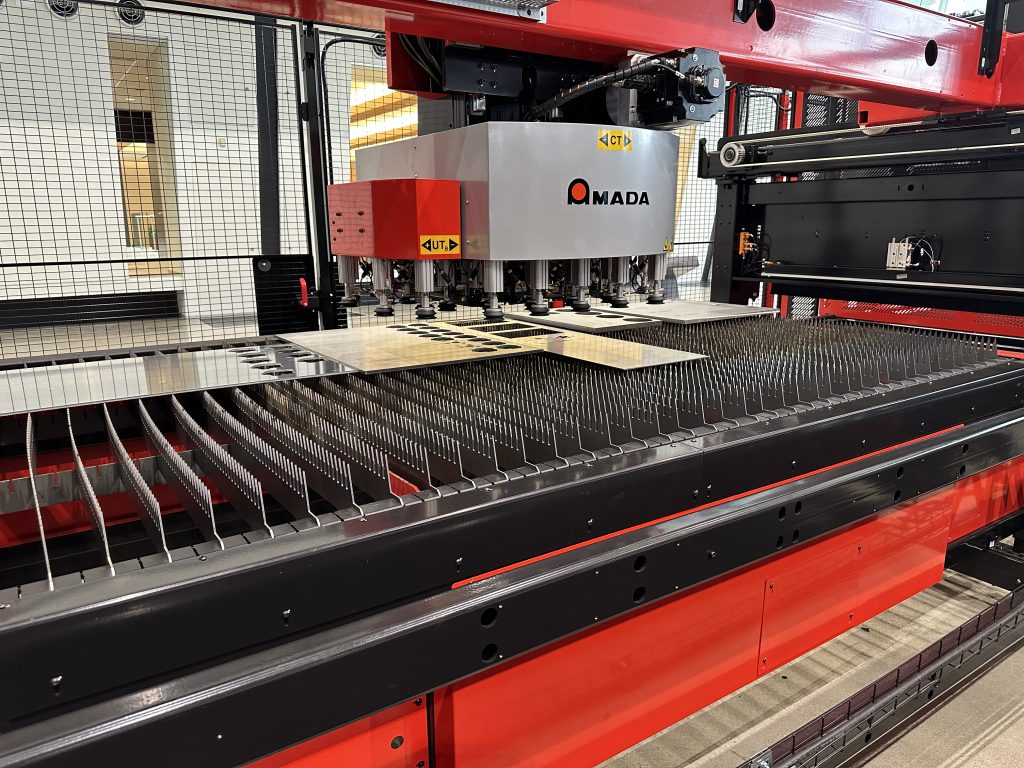
The robot poised above the middle of the pallet can go anywhere on the pallet, and can rotate to accommodate a pre-designed parts pallet that moves the part from its original orientation.
Figure 9
Figure 10, Figure 11, and Figure 12 show the work area of the system, Figure 12 specifically shows the “after” picture where the pallet is filled with parts. Each of these photos was taken from within the machine looking out toward the walkway in front of the entire system. The parts pallet can be delivered to the Input/Output area for packaging, shipping, or transporting to another department such as welding, or it can go right back into the core of the CS II 300 in a vertical rack for storage until needed.
Figure 10
Figure 11
Figure 12
Picardat tells us more about this workhorse of an automation machine:
Before we fully look at our next piece of automation, we’re going to see its function and placement through the lens of the EML 2515 AJ e (seen in Figure 13). It is located at the opposite end of the CS II 300 from the VENTIS. The product is a combination laser/punch, and it is very interesting to watch. Because a punch primarily produces smaller holes in the metal, there is no need to send a device after the part or the slugs until it’s the laser’s turn to cut (bigger) parts.
Figure 13
A couple of minutes into the video, you’ll see that a door closes behind the laser head, keeping sequestered the laser light and reflections. After the cutting is complete, you will see the two arms of the RMP 3015 PR EU S enter the picture, and one takes away the laser-cut part.
Although we are here to show you the CS II 300, the built-in movement to the material is also interesting and we included a minute or two of normal operation just to emphasize the constant motion. Picardat narrates:
The RMP 3015 PR EU S
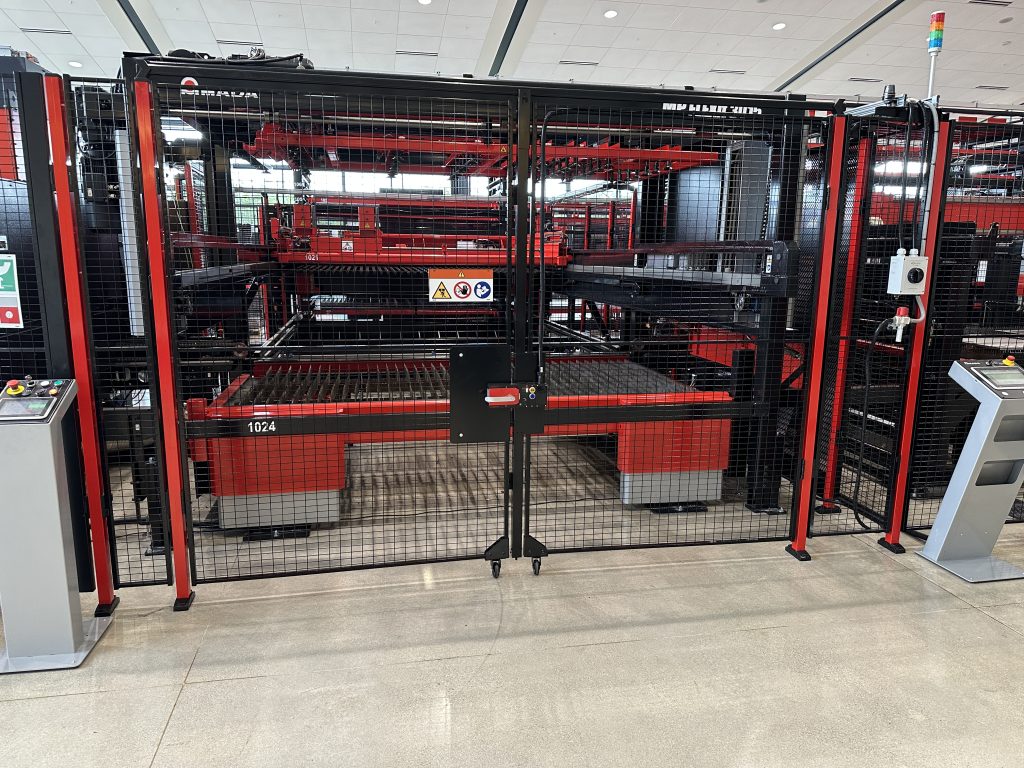
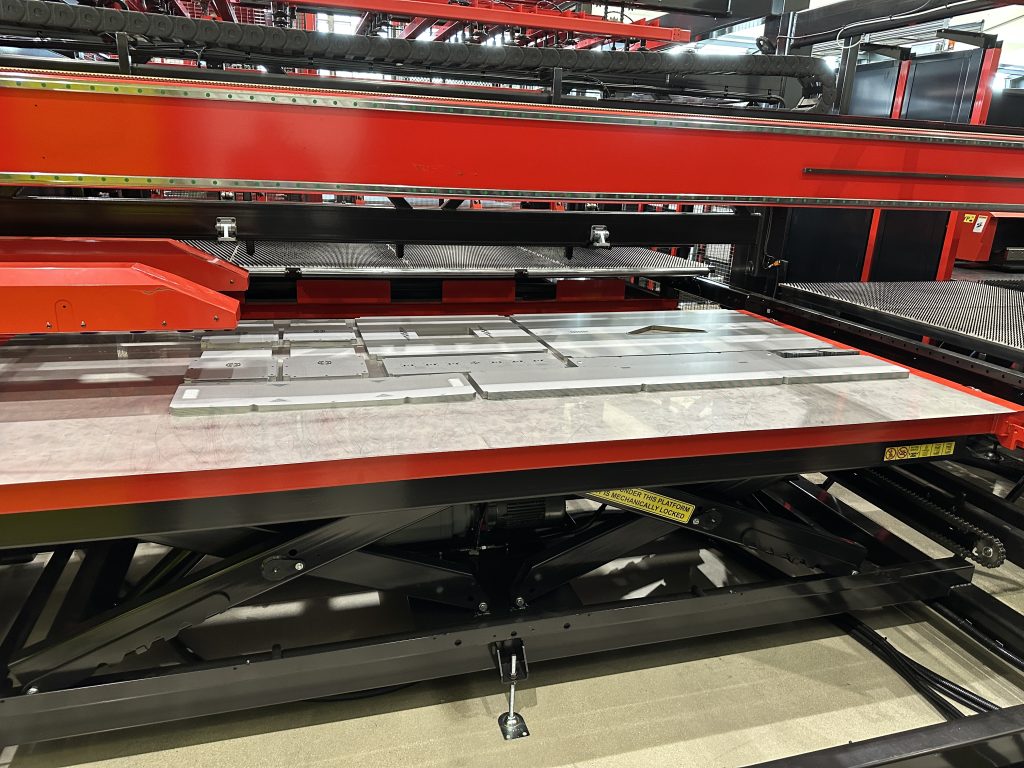
The RMP 3015 PR EU S sits next to the EML and a photo (Figure 14) shows the part collection and the rail on which run the arms of the RMP. The arms reach all the way into the center of the laser/punch, and go all the way back, enough to perfectly place parts on the table which is on a height-adjustable, scissor-joint base (seen better in Figure 15).
Figure 14
Figure 15
Picardat also narrates this video:
Software at the foundation

The software that underpins this system is actually multiple software packages. Casey Greer, AMADA’s Product Manager of Software, provided a very interesting and easy to understand graphic (Figure 16) that shows you how the CS II 300 software strategy works.
Figure 16
Starting with VPSS (which comes in different flavors depending on the application it is supporting), your CAD information feeds capabilities like simulation, one-click unfolding into flat sheets, program generation, and more.
It also leverages your ERP system, and in particular, the scheduling that comes as a result of putting all the business intelligence toward assembling jobs and scheduling materials, machines, and shipping.
Meanwhile, you have Influent which monitors most everything going on in the shop. It monitors machines, uptime/downtime, materials, scheduled jobs, performance of machines, performance of shifts or individuals, and presents reams of data in an intuitive manner.
Influent is used as the canvas, if you will, on which the future is painted. A new AMADA software package called Orchestrate does what you might suspect: It orchestrates all of the disparate information into a cogent, practical interface that is based on Influent. You might think it sounds like Influent on steroids, but it’s not; Influent’s primary monitoring tasks are combined with the strengths of the other two areas, so that you will find the most pertinent data from each available on-screen. Depending on your drill-down route, you will get more detailed ERP, CAD, or monitoring data.
There is a lot to this strategy, although you’d never know it from using it. It looks like a single package to the person desiring information. However, we did a very thorough exploration of this with Greer, who really gives a master class to us. Here’s the video, and bring popcorn:
Some final thoughts
People from physicist Albert Einstein to jazz musician Charles Mingus put a low value on making the simple complicated, and a high value on making the complicated simple. Keep in mind that despite all the attention we have paid to the inner workings of this automation system, the real value is in someone operating a couple of machines and the rest is all on the shoulders of automation.
We did not include bending products because although the CS II 300 works with them, none were connected on the day we visited.
Remember also that this system is modular. You don’t need to start out with a long line of racks or even automation continuity for all your machines. You can walk stepwise into total automation. Even if some parts are manual for a while in your integration journey, there is still high value in knowing where your materials are and whether you have enough of a certain kind.
Many thanks to the AMADA people for explaining it all, and for allowing me free run of the SSC and free run of the CS II 300.
By submitting this form, you are consenting to receive marketing emails from: . You can revoke your consent to receive emails at any time by using the SafeUnsubscribe® link, found at the bottom of every email. Emails are serviced by Constant Contact