

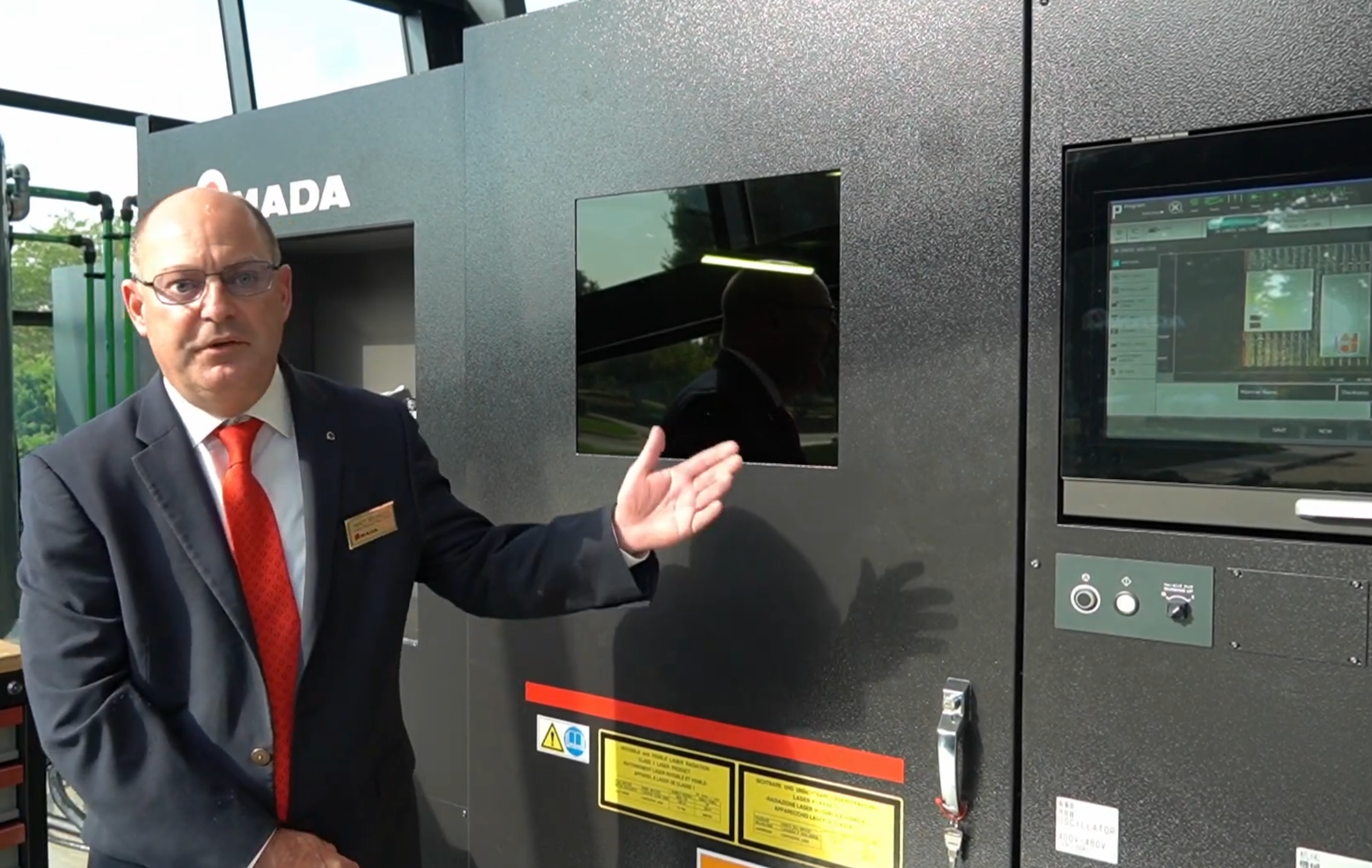
What do you do when there is a new laser with mid-level market in mind, but high-level automation and features inside? You do an Under the Hood story if you’re Fifth Wave Manufacturing, and that’s what happened at the AMADA Schaumburg Solutions Center (Schaumburg, IL) where we had access to a brand-new model of the AMADA ORSUS 3015 AJe laser cutter.
We had the knowledge and experience of Matt Milazzo, Laser Product Manager, and Aaron Angelacos, Laser Application Engineer, at our disposal and we learned a lot about the ORSUS in a short time. You’ll see them and hear what they have to share in the video portion of this Under the Hood story.
First, the facts
The ORSUS is a very cleanly designed machine, going for a squared-off look, as opposed to a beveled shape that began to gain popularity in the last decade. There are access doors into the enclosure, including a garage door-type access point that lets material in and blanks out.
The machine comes in two power options, a 6kW laser (the 6000 model) and an 8kW laser (the 8000 model). It is operated by the AMNC 4ie control, the latest from AMADA. And as we go through our story, we’ll discover more about advances that come standard, like the Laser Integration System, the i-Optics sensor, i-Process Monitoring, advanced beam control, and Clean Fast Cut (CFC), a new offering from AMADA.
It’s not that these advances don’t belong in a mid-level laser—it’s a boon to the platform and its users—they just have not been included in such solutions until now.
Let’s start with one of these advances, a brand new one called Clean Fast Cut (CFC), designed to speed up processing of medium-thickness plate, and save power costs while it’s doing the job. According to AMADA, it can save up to 90% of time, and up to 70% of gas consumption.
Additionally, the carriage—the assembly that holds the laser cutting head—now has a lower center of gravity. The further away the center of gravity is from the nozzle, the more potential for movement of the beam in fast/high G-force situations. With the lower center of gravity, AMADA can achieve higher speeds (and change of speeds) by minimizing the effect of acceleration/deceleration. The traverse speed, for example, is 4,350 inches per minute.
And before we start with the video portion of this Under the Hood, let’s summarize a few more features of this new machine:
- Single-Lens Operation: The machine uses a longer focus lens for stable thick material processing.
- Mode Converter: This feature enables high-speed piercing and high-speed processing with Beam Shape Control. The beam’s shape is dynamic, that is, thin and long with high-speed piercing and high-speed processing of thin materials, and shorter and wider for thick-plate processing.
- i-Process Monitor: This monitor analyzes the optical wavelength to identify cutting failures. When piercing penetration is detected, cutting starts immediately to greatly reduce cycle time.
- i-Optics Sensor: The i-Optics sensor detects debris on the protection glass to help reduce processing defects. The condition of the protection glass is regularly checked with a sensor installed inside the lens holder.
- Head Interference Function: The laser head tilts when a collision with a tip-up occurs to reduce the risk of damage during high-speed cutting. If a collision occurs, the head will tilt, raise up, and stop.
The last three of these features are part of the Laser Integration System that has been used on other, typically higher end AMADA equipment and has now migrated to the ORSUS platform.
An introduction
Matt Milazzo is our first video guest to show off ORSUS’ features and he covers the most popular options that are built into the new laser platform, including the 4ie control and its drag-and-drop capability, nozzle changer, iOptics, and more. He also spends a bit of time on the environmental aspect (the “e” in AJe), including the fact that not all kilowatts are alike when it comes to laser ratings.
Let’s hear what Matt has to say about this brand new entry into the AMADA family:
In this next video, we’re going to learn how to do things on this new laser cutter. Almost every operation takes advantage of the 4ie control, which can take pre-programmed information, or information that is keyed in at the machine, or drag and drop info, or a choice among options that is simply pressed on the touchscreen. If you can operate your phone, you can cut metal.
Aaron Angelacos takes us for a tour of the 4ie and how and why you use it. The big picture is this: It is a large touchscreen that allows you to see current information about the machine, its job, the operator—really, anything associated with the work at hand. Here you can load programs (based on filename). You can see information that is data-driven (like a program or a report) and information that is part of the real world (photos of remnants on the table, or a virtual representation of the laser cutting a part, which mirrors exactly its position and speed in the real world).
The AMNC 4ie control comes network ready with an Ethernet interface. Depending on which operator logs in, it can control how much the operator can do with a “rights mask” (e.g. just run some jobs or do configuration or maintenance work). Additionally, if the operator has a native language other than English, the control can do the work just as well in a large number of languages.
Anything that affects the job, including feed speed, power, duty cycle, frequency, gas selection, and pressure control can be set by the 4ie. You can also scan in jobs with a QR code. Also, if a hot job comes in, you can stop your processing job, interrupt it with the hot job, finish that work, and resume right where you left off on the initial task.
Angelacos will show us how to load and edit a program, how to take advantage of the camera on the ceiling of the inside of the enclosure to virtually put a part outline on the material, automatically nest a hot job, re-do a cut, create a nest with multiple named parts, reprioritize a part, and more. Milazzo introduces Angelacos and the latter shows us the way:
While we saw work being done specifically on thin gauge steel in the previous video, we now move to thicker stock—3/4-inch, to be exact. You’ll see when the blank is removed via the shuttle that there is water on the surface of the material, and that comes from the Water Assist Cutting System II (WACS II), the second major iteration of this capability. It allows thick materials to be efficiently processed by cooling the material during laser cutting. With reduced heat buildup, the laser cutting head can cut closely-nested parts without traversing the material to cut somewhere else while the material cools.
Another capability aimed squarely at thick stock is called Oil Shot. Oil is sprayed on the material before piercing to minimize spatter and prevent adhesion, permitting stable processing of thick mild steel.
We also have examples of 18 gauge and ¼-inch steel, each for different reasons, and each showing off different capabilities of the ORSUS. As we change out tables, we are afforded a good look at using the shuttle table to remove blanks and load material. The process is very quick. Here is Angelacos as our guide:
Now, Milazzo takes us on a journey that goes beyond just cutting. In this next video we will cover laser etching (we have both unfinished and finished examples). Additionally, we get a look at a new way to attack an old problem: tip-ups. The solution is called the Soft Joint, and these are tabs that run parallel to the cut. When the laser cuts these tabs, it also creates heat that warps the tab into touching the part. There is no connection other than friction. There are no mini-tabs to take off (or grind off, later). It holds the part just enough to prevent tip-ups and it’s simple and easy to remove the part by hand or with an unloading system with suction cups or magnets.
He also discusses some of the automation options aimed at materials and parts. There are many such options, and Milazzo covers a handful of them in the video. Let’s watch:
We go back to Angelacos for a look at some of the many management functions available on the ORSUS 3015 AJe. To summarize, in this video we will get a look at:
- The i-Optics sensor, which checks the lens protection glass for debris;
- The nozzle changer, which has eight stations and nozzles for different material types;
- The History page, which shows alarms, errors, the content of alarms, the operator, and other data points to track down errors;
- Automatic language setting, wherein the operator chooses a “home” language when setting up the user profile, so that ORSUS uses that language whenever that user logs in;
- Utilization page, which can make a report of runtime for billing, plus idle time, off time, etc., as well as how much electricity was consumed and this can include the cost of electricity;
- Completed programs;
- Reports, including machine performance vs. a generic, virtual machine; and
- Inspection and maintenance, and if a process is done very seldom or an operator does not have experience, that operator can access detailed video walk-throughs of the process.
Angelacos will show us how all these things are accomplished:
Finally, we need to answer a question, and that is with all the AMADA laser products, where does the ORSUS 3015 AJe belong? Milazzo has the answer(s) in this very brief video:
Final thoughts
The ORSUS 3015 AJe does many jobs well, and is by definition a “general” solution across industries. Its broad range of material thickness, speed, automation, management, mean that it will do well in a connected environment, and in fact it is a natural to fit into AMADA Influent’s management fabric. With several brand new features, it is a mix of migrated technology as well as a fresh approach to solving problems both old and new.
More information: https://www.amada.com/america/orsus-aje-series