

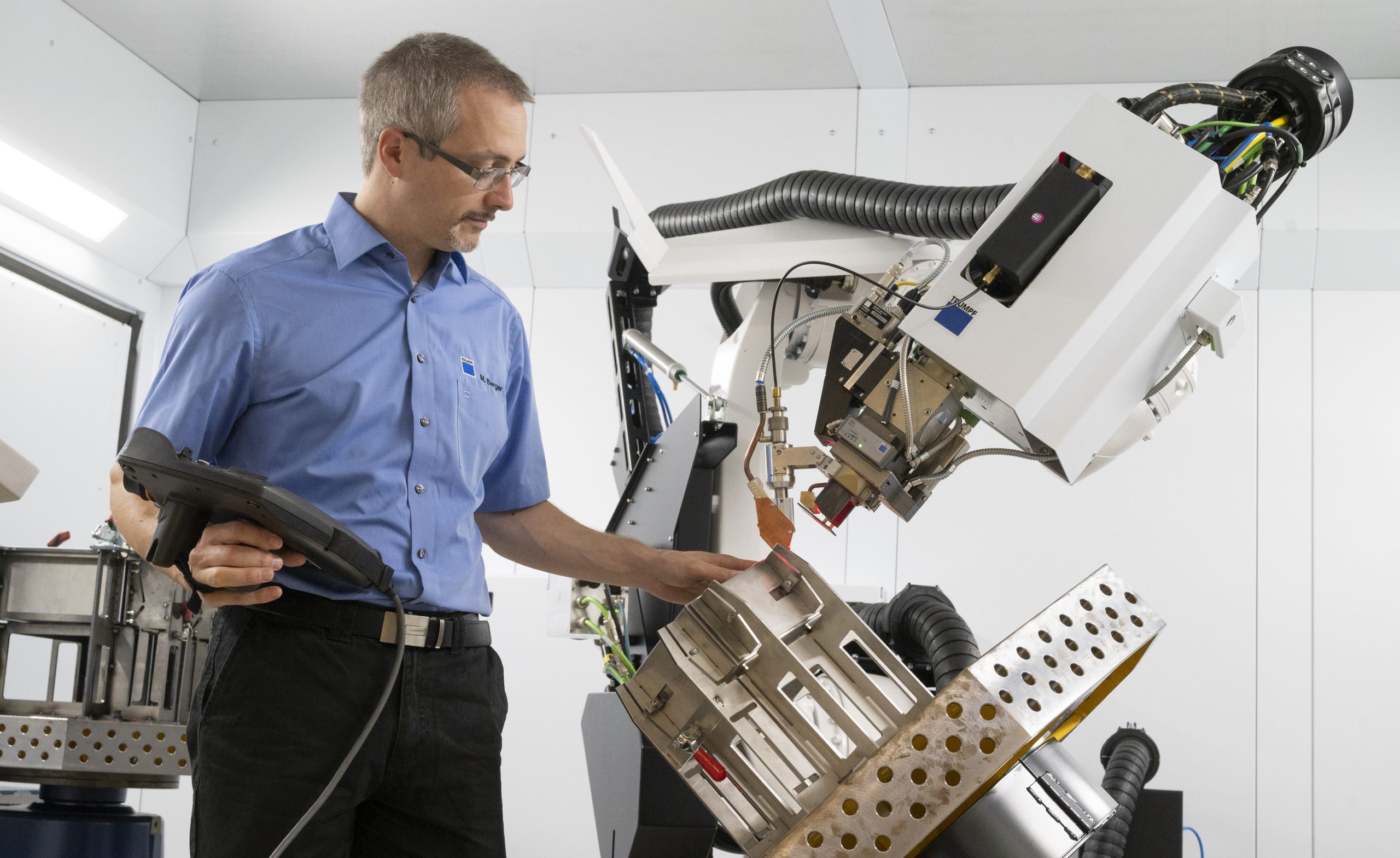
While it’s true that the TRUMPF (Farmington, CT) TruLaser Weld 5000 has been around for a while—it debuted at EuroBLECH 2016—two facts influenced our getting an Under the Hood look at this product. First, we had never taken a good, detailed look at it and put it through its paces. Second, a recent upgrade seen at the FABTECH 2025 event brought improved capabilities.
We visited the TRUMPF Smart Factory near Chicago in Hoffman Estates, IL, which houses working examples of some of the company’s latest equipment. The Smart Factory shows off new capabilities and processes, and is a sort of test lab where TRUMPF customers can do proof-of-concept work.
During our visit, we did two joining jobs, one with mild steel and the other with aluminum. Assisting our explorations was a most knowledgeable host: TRUMPF’s Robin Stuhler, Head of Product Management – Weld. We will get into more detail the jobs we ran in the Smart Factory. First, though, let’s look at the product in its current iteration.
All about the laser weld
We’ll work our way inside. The enclosure or “cabin” can vary in footprint; all versions are about 10.5 feet in height (to accommodate the robot). The smallest version is about 16 x 12 feet, and the largest is roughly 31 x 19 feet. The size will be dictated by the size of blanks or material used, as well as your workholding options of choice and the configuration of your shop. Our enclosure at the Smart Factory is 4800mm x 5900mm (about 16 x 19 feet).
You can have multiple fixtures ready to work on jobs in parallel, accommodate a “hot” item, or simply to be at the ready with another fixture in process. There are six available positioners; our TruLaser Weld 5000 at the TRUMPF location utilized the rotate and tilt positioner, and a rotary table utilizing a horizontal turning axis.
At the heart of the system is a member of the KUKA KR 70 R2100 family. It is a 6-axis, high-accuracy robot that features a 70 kg (154 lb.) carrying capacity, and a repeatability of +/- 0.05 mm. It has a reach of 2101mm, almost 7 feet, and is anchored to the floor.
The product optionally offers three levels each of TruDisk and TruFiber laser sources. At the Smart Factory, we used the TruDisk 8001, an 8kW disk laser source.
A rotating module that guides shield gas allows you to weld in multiple directions and is especially effective in parallel welds. Not only is the laser weld perfect for managing heat, avoiding warped parts, but you can have two lines of a weld fairly close together and do the work in two passes (one outbound and one return) versus having to run in a single direction, and use four passes. You save half of the motion time with the rotating guide.
TRUMPF’s BrightLine technology is deployed in the newest models of the TruLaser Weld 5000, and we’ll get into more detail about that later in our story.
Software options
There are a number of ways to get the work done with the TruLaser Weld 5000. First, you have two controllers—the one that is permanently mounted outside the enclosure, and the KUKA pendant, which can be used to set up a welding job much in the way a cobot would be taught about a welding job. So let’s count a job set up with the pendant as one way to plan a welding job.
A more likely scenario in an organization big enough and active enough to keep a TruLaser Weld 5000 busy is that someone creates the job from drawings and uses TruTops in the fabricator’s office environment. This keeps the welding product free and clear to do what it does best—weld—without putting a robot through the paces and recording the motion, which takes time.
You can also create the job right at the operator’s console. To keep the programming time to a minimum at the console, many presets are available to the operator. Additionally, any tweaks or changes can be accommodated by changing field values within the screen prompts that define the welding job.
Let’s get into the system and learn more from Robin Stuhler about the TruLaser Weld 5000:
Stuhler brings up a very interesting and illustrative point. As much as possible, laser welding attempts to take grinding out of the equation. Why? Grinding is a necessity in many applications, but Stuhler looks at that process and asks, more or less, “Are we really adding value by welding and grinding? Or is grinding an attempt to salvage the value we had before the weld took place?” Are we in fact spending money to get back to the original value?
Our next brief video looks at the main interface used by the operator to program jobs. The system gives its own advice on what parameters to use. It does this once it knows the materials and weld types you need. Stuhler shows us the screen that includes the live laser monitoring, and we’ll get a more detailed look at that when we monitor a weld and when we see the system’s BrightLine functionality at work.
We also get a brief mention about using the KUKA robot pendant to create point-to-point motion when setting the robot path. Let’s have Stuhler show us the way:
In this next video, we bring you a live shot from inside the cabin that shows the robot welding the way we would watch it. Additionally, we bring you a simultaneous and synchronous look through the laser pathway, picture-in-picture, showing the weld from directly above the weld path. The video of the laser pathway is a great way for the operator to monitor the weld as it goes along.
It does go along. It took 40 seconds for six welds—each pass changing direction.
Welding is cool
One other important point that Stuhler both demonstrates and talks about is the difference in this weld versus a MIG weld. As soon as the weld is finished, Stuhler walks into the cabin and touches the weld that was just completed seconds before. (We won’t spoil his one-liner about MIG welding; it’s in the video.) He does point out that the pinpoint accuracy of the laser means the heat affected zone is very small; the weld is only as hot as it needs to be and no hotter. This works well for parts without a high tolerance for deformation, particularly those parts with open areas that are near the weld path.
Let’s get a look at the welding action from two perspectives, then inspect the welds:
With new capabilities comes new ways to prepare blanks and parts. Because some of these techniques and design thoughts may not be immediately obvious, TRUMPF created a website devoted to this: https://weldguide.trumpf.com. Here you will find basics of using laser welding, sample parts with downloadable CAD files, and the same for the fixtures that hold them.
The site also looks at some of the design concepts used (sacrificial noses, for example). You can also use the configurator for your TRUMPF welding equipment, and you can have the system create fixturing for your part (this is currently in beta and is limited to box-like parts). There are even tools to check your welding ROI.
Stuhler takes us through the available, no-charge resources on the site:
Finally, let’s talk about the two important aspects of the TruLaser Weld 5000 that have opened lots of possibilities for laser welding: FusionLine and BrightLine. FusionLine is an option for a wire feeder system, and it can be used to close gaps of up to 1 mm.
BrightLine uses movable mirrors to oscillate the laser beam up to 9mm at frequencies up to 2,700 Hz. The technology allows users to tailor the parts’ bonding surfaces–which are melted directly by the laser beam–to suit each application. The laser beam can now be guided using the scanner, making it easier to produce tighter tolerances. You are, in effect, controlling two motion sources, the movement of the robot head and the movement of the mirrors used in the laser path.
In our last video, we weld an aluminum part. Before we do, Stuhler shows off two of the six available workholding options. Once we start the weld, we concentrate only on the operator console, where we see the BrightLine feature in operation; you can see the fast oscillation of the beam, driven by the mirrors inside the laser head:
The intended customer base for the TruLaser Weld 5000 is a company that has a busy welding department with a majority of the welding at 0.25 inches and thinner. Companies that can derive tangible ROI with shorter welding times and the potential for grinderless part-making are perfect candidates for this product.
It should be noted that a three-day training session comes with the purchase of a TruLaser Weld 5000. (Our thanks to Robin Stuhler, Tommy Zoladz, and the staff at the TRUMPF Smart Factory in Hoffman Estates, IL.)
More information: https://www.trumpf.com/en_US/products/machines-systems/laser-welding-systems-and-the-arc-welding-cell/trulaser-weld-5000/